Windows Phone Tango will be rebranded as Windows Phone Mango Commercial Release 2. Manufacturers are not allow to call the latest update 'Tango', sources confirm.
Microsoft wants Tango to remain an internal name, which is not used by the outside world New devices at MWC in Barcelona therefore therefore run on 'Windows Phone Mango Commercial Release 2’. We spoke to an employee of a manufacturer of Windows Phone devices, which stated that this was done at the direction of Microsoft.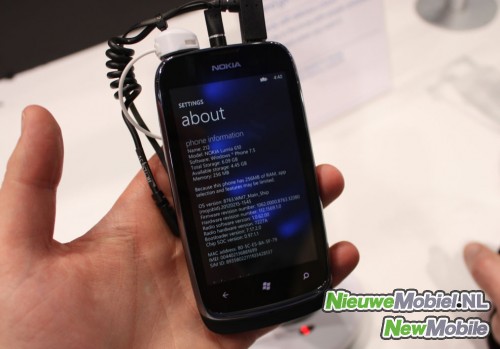
The about screen of Mango Commercial release 2
The move is striking because Tango is like Mango an internal code name. Although the internal versions have different names, both Mango and Mango will be called Windows Phone 7.5 tMango, the difference being the addition of 'commercial release 2’.

 |

Anyways, such concepts are always fun to see, so just go ahead and check them out using the gallery below! And of course, don't forget that we'll be covering tonight's unveiling of the real iPad 3, so stay tuned!
iPad 3 concept designs
1. Edge-to-edge iPad 3
2. iPad 3 with curved glass-back

3. iPad 3 with Mac OS X

4. iPad 3D

5. Transparent iPad 3
6. iPad 3 with Mac OS X #2

7. The iPad Pro

8. iPad 3 for photographers

9. iPad 3 a la iPhone 2G

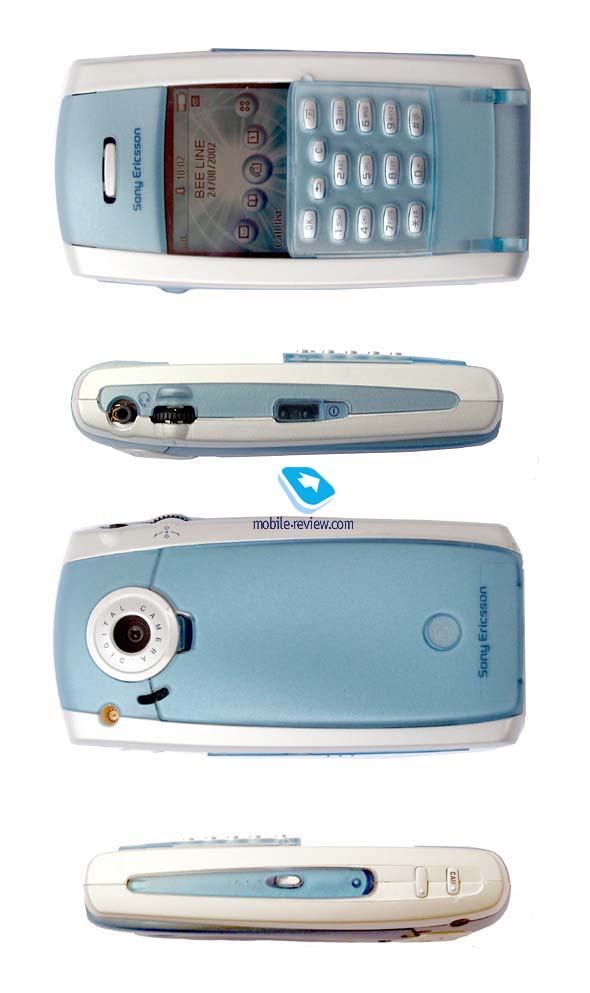
This smartphone or mediaphone (according to the manufacturer) was one of the most desirable handsets in the year 2002. It was planned to launch P800 in autumn but than the data was postponed to the 4 quarter. P800 has only one competitor in its class - Nokia 7650. It works under Symbian OS control, it has an integrated camera and almost the same features. However, the phones have some specific differences which I hope we'll discuss next time.
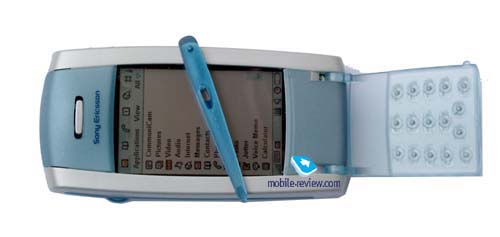
P800 is produced only in one colour - Silver White. The dimensions of this device are quite large (117x59x27mm), it's not comfortable to wear it in jeans or in the breast pocket. The phone looks nice in case, it is larger than other modern phone but you don't feel any discomfort while wearing it though it weighs 158g. If you remove the flip key-pad you can reduce the phone mass by 10 grams. But it's not easy to do this operation, though all the steps are thoroughly written in the manual - guide. During my experiments I hardly didn't break the holders of the key-pad. Phone design is very unusual. If you look at the phone, you'll see that the key-pad occupies only half of the phone's height and it is used as a cover for a touchscreen. While using the key-pad you just substitute stylus taps for keystrokes. The similar solution was used in Ericsson R380 which also had a touchscreen.
If you can open or remove the flip key-pad the phone will switched to the full-screen mode. An on-screen key-pad works in this mode too. You can see it on the photo below.
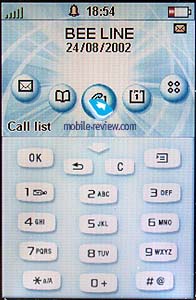
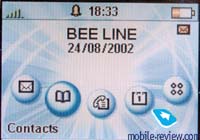
In contrast to other phones from SonyEricsson some new keys were added here: the Ok key (a soft-key that is used for the confirmation of the information), the back key that takes the user one step back while the menu navigation (the function of clear or reject keys in previous models) and the menu key. The latter is used to access different menus depending on where the user is in the menu system. The keys are highly visible at night, touchscreen itself is used as a backlighting. On the contrary in a daylight symbols on the keys are not clearly visible because of the too small font size.
The keys are made of plastic, they respond well if you press them up to the stop. The keys are spaced rather far from each other, it's impossible to dial a phone number quickly. Of course we shouldn't forget that a key-pad is only an additional accessory for such device, some kind of a luxury, which is used only for dialing. So we can be satisfied by it quality.
The screen has a resolution of 208x144 pixels (40x28mm) with the closed flip, when the flip is opened or removed the resolution is 208x320 pixels (40x61mm). It is non-reflective and retains visibility in all conditions. The screen shows 4096 colours (12-bit colour depth). Sometimes it's easy to read the text even without backlighting. You see only a part of the working screen when the flip is closed. The advantage of the key-pad is also in protecting the screen from the contact with your cheek while talking. As a result the screen doesn't become dirty quickly.
Naturally there is a stylus in a standard kit contents which you can find on the right backside. To take it off you should pull it up. It seems to me that the style of the stylus is a little bit different from the whole design, the stylus is lucent and light, but it functioned quite good.
Two more keys are placed on the right-hand side: the upper one is used for browsing WAP sites, the lower one is a shutter button. It provides a shot-cut to camera application in the standby mode. A camera lens is positioned on the back of the phone, it doesn't cover with a shutter, and hence, it is sensitive for dust and moisture. Later I will tell more about the photos quality and the usage of integrated camera.
On the left of camera lens there is an external antenna connector and an office handsfree speaker, the latter is also used for incoming calls signals reproduction.
A handsfree connector and JogDial are placed on the left-hand side. No doubts that JogDial is a feature from Sony products, it simplifies and speeds up the navigation. JogDial can be rotated in five directions. You can turn it in a vertical plane to scroll the lists, press it to confirm the choice or deflect it up/down to enter/exit a menu. There were no problems with the JogDial navigation during the practical tests.
There are also an infra-red port and a power button on the left-hand side. A system connector which is similar to other phones from SonyEricsson is placed on the bottom of the phone. Thus, almost all accessories of a new smartphone are compatible with modern phones.
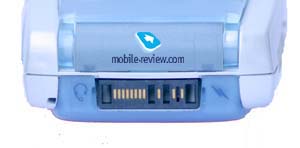
Some words about the battery. Here is used a lithium-polymer accumulator of 1000 mAH capacity. As manufacturer declares the smartphone can work up to 400 hours in the standby mode and up to 13 hours in the talk mode. In the reality the values are much lower. In case of active usage (20 minutes of talking and about 1 hour using of different applications such as loudspeaker, calendar, alarm-clock, games) the phone worked only one day and a half. Without using power-consuming features (games, video player and others) it worked 2 days. A brightness of backlighting was maximal in two cases. In the safe-power mode (without screen backlighting, only talks with a help of handsfree) the phone worked 4 days but it's not interesting at all. There are many cheap phones that can be used for it. Summing up I can say the average time of the phone autonomy is 2 days, after that it's necessary to recharge it. The total time of recharging is a little bit more than 4 hours. Unfortunately the function of approximate autonomy time counting is absent because it is impossible to count the power consumption in different modes.
Before I'll describe the main features I'd like to list a full kit contents. Apart from the handset (P800) itself there is
- An extra stylus,
- 1 portable handsfree,
- 1 pouch for the handset,
- 1 wrist strap,
- 1 “hinge protector”,
- 1 travel charger,
- 1 desk stand,
- 1 system CD,
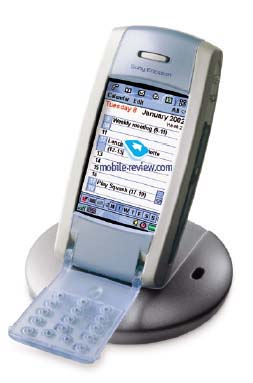
And some words about a system CD. It enables the user to load a definite language and switch the phone's user interface language. The first phones (aimed to the European market) will support the following languages: Danish, Dutch, English, Finnish, French, German, Greek, Italian, Norwegian, Portuguese, Spanish, Swedish, Turkish. No Russian. Hope, it will be realized later.
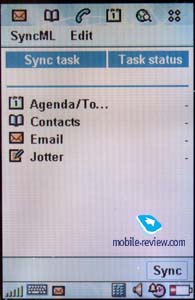
This CD also contains a PC software for synchronization between the P800 and such applications as Lotus Notes, Microsoft Outlook, Lotus organizer. Moreover, P800 has a SyncML and, hence, it can synchronize data with modern applications which support a general standard.
There are also many applications that can be used for reading documents in different formats, the most pleasing thing was to see a support of MS Word and MS Excel.
Other important utilities are the following:
- Backup and restoration of the data from PC. This utility makes a reserve copies of the phone memory.
- File transfer utility which enables files to be viewed and moved to a PC and to the phone. Usually it is used for viewing graphical files.
- Set-up utility which helps to download new applications to P800.
- Modem Driver file.
- Ebook reader - an application for reading books
Menu
The operating system of the P800 is Symbian OS, version 7.0, but the phone has its own menu structure, icons and other nice trinkets. I would like to start the description with two working modes: the phone mode (with a closed flip key-pad) and a full-screen mode. The main differences are in the presentation of information. Naturally, when the screen is small it can contain less information, that's why in the standby mode with a closed flip a user sees only a data, time, signal level, battery level and a set of icons to access the most often used applications. You can also view a whole list of applications, each utility changes it interface to present an information compactly. The list of available applications reduces to 9, the most important ones.
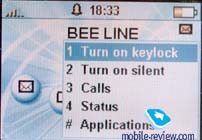
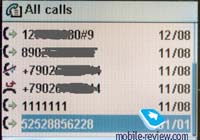
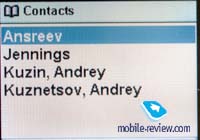
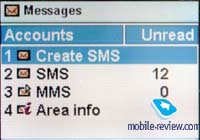
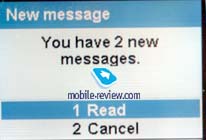
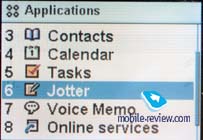
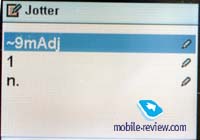
For example, you can view only current events in your organizer, the whole calendar is not available. In Jotter application you can only view and edit a text, a picture isn't displayed. This list can be continued. In the whole the phone provides an access to the most required functions. Extend possibilities are available only in the full-screen mode. When the flip is closed, the screen doesn't respond to stylus taps, I think it's logical. You can also lock a key-pad and switch a silence mode with a help of JogDial. So the quick access prevails over the features while the closed flip..
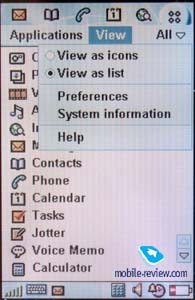

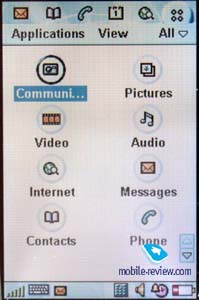
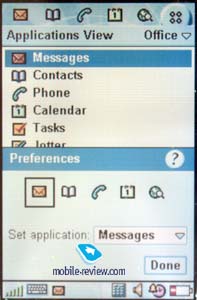
The main menu can be displayed as a list or as a set of icons. There are also application groups, you can create your own folders and rename existed ones. As mentioned above you have two ways to move through the menu: with a help of JogDial or using a stylus. But stylus is irreplaceable if you are going to know an additional information. For example, when you click on the indicator of a battery level, you'll see a bubble help with accurate data. You can't do it with a help of JogDial.
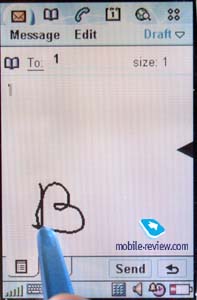
Text input. There are two ways of text input: the first is with a help of on-screen key-pad and the second is writing them with a stylus (only for English). The work with an on-screen key-pad is clear, there are 3 bookmarks - for numbers and characters (for English) and local symbols (another language). A handwriting must be explained more elaborately.
Let's see how it works by the example of creating new SMS messages. The screen which is divided by a small triangle (in the middle on the right) is displayed a blinking enter cursor. You can write on the screen and the data will be immediately displayed at the place of cursor location. The area above the triangle is used for numbers and characters entering and the area under it is used for symbols entering. You should write the words separately, letter by letter. The speed and the quality of recognition is rather high, there were almost no mistakes after a short training. So you can use two, no, even three ways of data input taking into account a usual for mobile phones way, with a help of key-pad. But the third one is seemed to be slow and unnecessary.
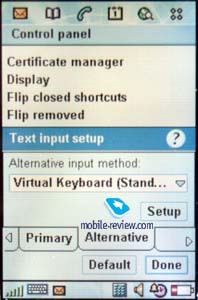
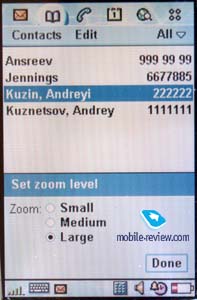
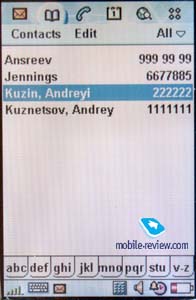
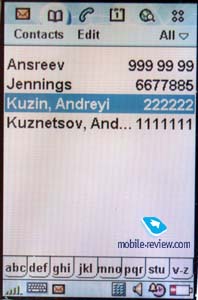
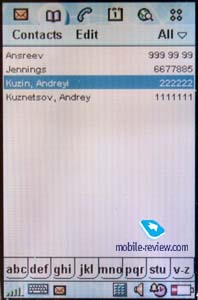
A Zoom feature is available in almost every submenu, it allows to increase and reduce the font size. As a rule the phone supports three font sizes, it enables to set up the most for you convenient way of information presentation. Let's view the main features, at last.
A camera (CommuniCam)
You can see a camera lens on the back of the smartphone. It doesn't cover with a shutter. The lens can be scratched and that's why it difficult to wear a handset with some other things. On the other hand, the mechanism of the camera lens is rather simple and minor scratches won't influence the quality of the photos. In the manual guide it is recommended to keep a minimal focus distance of 30 cm while taking pictures. The user can choose one of the three quality levels of the images (JPEG format, 24-bit depth colour) - high, medium and low and one of the three images size (640x480 pixels, 320x240 pixels, 160x120 pixels). It's clear that low resolution means not only small file size but also low quality. You can take less pictures on the higher resolution but their quality will be much better.
On the pictures below you can see the quality of camera. On this link you can compare the photos of one place. They all have a different quality level and a different size. Another link for pics with maximum quality.
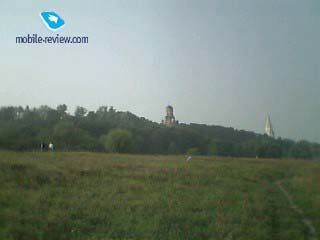
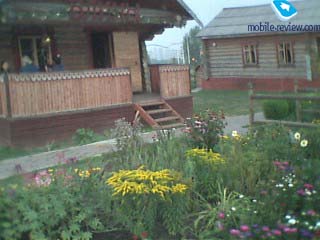
In my opinion it's better to put a resolution of 320x240 pixels if you plan to view images on the screen of P800, when the resolution is higher the quality doesn't raise much. The higher resolution is seemed to be useful while viewing images on the PC screen, but the quality of the photos is too low to do it. The photos can't be even compared with the photos taken by modern digit cameras. A matrix size and a camera lens quality are those negative factors that influence the quality of the photos. On the other hand it's obvious that this camera must be used only to make a photo of a person to associate it with a phone number in a phone book. It can be well-done with a help of the integrated device but, please, don't expect more.
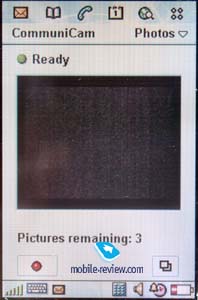
While using the camera part of the screen works as a viewfinder (192x144 pixels), which displays a designated area. Under it you can view how much photos are left under your settings. The camera can be used in open and in closed modes. In the open made you should press the shutter button to take a picture. To download an application in the standby mode you also need just to press the same button.
The camera is similar to MCA-20 by it quality but CommuniCam has more additional settings. You can choose a light level, adjust brightness, contrast, frequency of screen renovation (when this index is high the screen works properly even at high speed of moving). There is also a so nice feature as delay timer in this camera. The handset has a 10-second pause, it gives you time to find the best position in front of the camera. An audible countdown alerts when the picture will be taken.
Images taken with the camera can be easily transferred to PC with a help of specific utility or via IR-port or Bluetooth. You can also send them as MMS message or attached them to e-mail.
Pictures/Image Viewer
Of course there is a pre-installed software (Image Viewer) to view the images in P800. The photos are displayed as thumbnails or the list of files on the screen. You can view each file separately, then such information as size and date will be available. The picture will be shown in a full-screen mode. You can zoom this image but you'll need to use scrolls to view parts of the image.
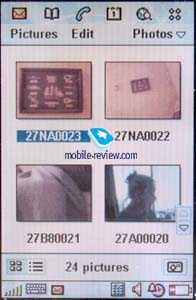
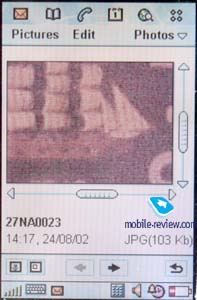
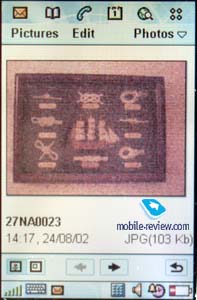
All photos are stored in one folder but you can create your own folders and keep your pictures there. This utility shows all images that have JPEG, GIF or BMP formats. It also enables you to use your pictures as wallpapers or screensavers. Sometimes it's very pleasing. Besides, you can copy any image from this application to the clipboard.
Video
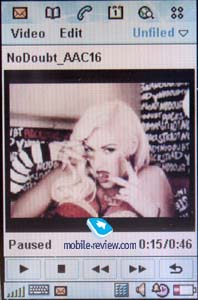
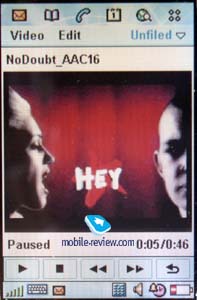
Packet Video player is placed here. If you are interested in details (format, image quality and so on), see the manufacturer's site http://www.packetvideo.com/. As for me I think that the quality of video (mpeg-4) is quiet good, though “by eye” about 15 pictures per second are displayed. 1 minute of video-clip occupies approximately 1 MB of memory space. So it's logical to use MemoryStick to store files. You can also download them from Internet via packet data exchange (GPRS).
Audio
A standard audio player is positioned here. It supports MP3, AMR (dictophone records), AU, WAV and MIDI formats. All records can be arranged by several features, it's possible to create new folders and move files there. You can't control playlists though this function would be useful to listen mp3-files. There are rumors that later an advanced audio player appears, which will support almost all functions, including playback of music from MemoryStick. Then you'll be able to use P800 as an mp-3 player.
Voice Memo.
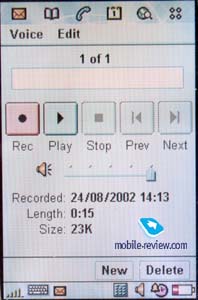
Two words about a Dictaphone. As usual as far as SonyEricsson devices as concerned there are no claims to it quality. It has no time limits (only limits of memory space). According to the manual guide the Dictaphone works in both standby mode and talk mode. But I couldn't find appropriate item. I hope that not a mistake in a manual guide and this item will appear in near future.
Features of the phone, writing SMS messages, filling in of phone book etc.
Manufacturers put 5 the most often used applications: Messages, Phone book, Phone mode, Calendar and Browser in a tool bar. This bar is displayed in both opened and closed mode. Let's see the opportunities of these applications.
Phone book.
The phone book can store up to 1000 contacts depending on memory space. May be it's not much but I think it can satisfy even the most exacting consumer. You can add 8 phone numbers, e-mail address, Web address and a full home and business address to one entry. If it is still not enough, you can add your own notes in a specific text field. It's also possible to associate a small image with each contact. This picture will be displayed while incoming call. Besides, you can choose any ring tone for any name when you enter an information. Moreover, there is a possibility to add a voice tag to any of the contact, it will be used while voice dialing.
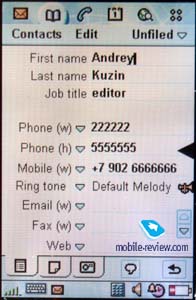
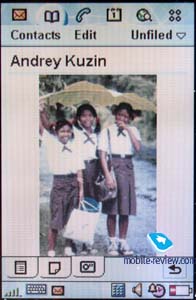
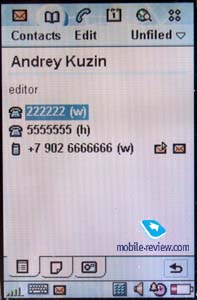
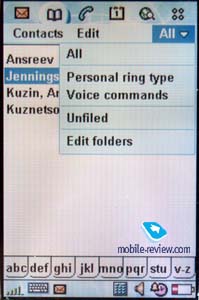


There are different ways to search and to sort the contacts in the phone book. The settings are flexible, for example, there is an option to display a list of names and main phone numbers. So it's the level of good PDAs.
Messages. This menu enables you to deal with SMS, MMS and e-mail messages.

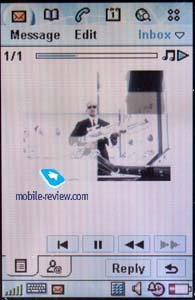
SMS. Everything is obvious. You can view all your messages in one list, highlight a few and delete them. Standard folders as Inbox, Outbox, Drafts and Sent are supported. Unfortunately the current version of software doesn't enable to create own folders. Another shortcoming is that already received SMS messages are marked as new ones and appear in the list when you switch off and then again switch on your phone. This fact shows that the feature isn't debugged yet.
The handset also supports sending and receiving of EMS messages (version 4).
MMS. This feature works properly. It is the third phone after SonyEriccon T68i and Nokia7650 which can create MMS messages. The application supports 4 graphical formats (BMP, JPEG, GIF, WBMP) and 3 sound formats (iMelody, AMR, WAV). Also you can attach SMIL files.
E-mail. P800 supports such e-mail server protocols as POP3 and IMAP4. It's possible to create several mailboxes. It's disappointing that you can't create your own folders but it's pleasing that the phone support more than 20 attachment viewers (MS Word, MS Excel, Acrobat Reader and others). It's not time to speak about the work of e-mail client yet but those functions that exist today are workable.
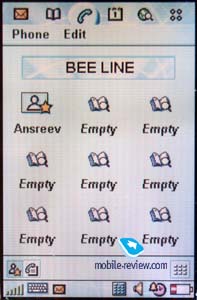
Phone mode. You need this menu if you want on-screen keyboard to be displayed. 9 shortcuts for quick dialing are also placed here. Here you can get an access to the menu settings, setup a ringing tone to incoming calls and turn on a vibrating alert. Don't believe those who contend that this feature is absent in this handset.
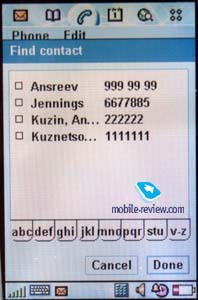
Interesting, that you can use almost any sound file, spaced in the memory of P800, as a ringing tone for your calls. Our experiments showed that large files (more than 150Kb) are not played though you can setup them. A polyphonic ringing tone is another advantage of P800, the volume is good. You can record not only any melody, but your own voice or other sounds which you like.
An access to the list of last calls is under this submenu too. A phone number, a kind of ringing tone (тип звонка??), its duration and the date - all this information you can view in the list. It's possible to sort the calls (outgoing, incoming, missed, all).
Calendar or organizer. I don't want to describe all the possibilities of this application. In my opinion this organizer is similar to those in PDAs under PocketPC 2002 control. You can view tasks by week, month and day, set repeating events, reminders and so on. Almost all tastes will be satisfied.

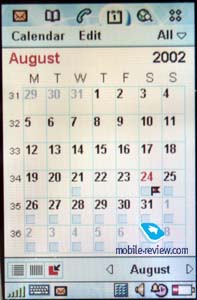
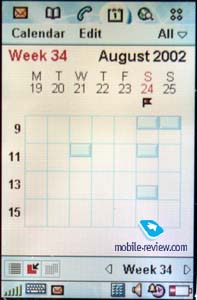


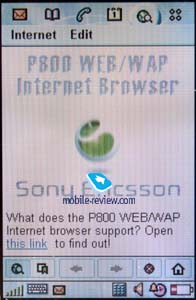
Browser. I think I won't be mistaken if say that it is the first device on the market that supports WAP, version 2.0. Now you can view not only wap pages but also usual html. In the whole the second version is a big step towards, though there are some limits concerned with the possibilities of small devices. It's no problem to view sites now.
Other applications
It's time to tell about other applications that make the life easier. Let's examine the most interesting ones.
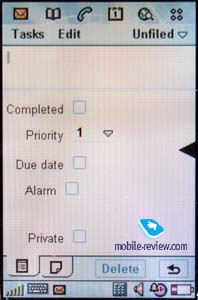
To-do list. In addition to an organizer there is a task list: setting priorities, sorting and other features of that kind. Other words it's a handy tool for the work. работы.

Jotter. Here you can quickly write text notes, make sketches with a stylus. You are free to choose any tool to draw a picture and any colour for it. Jotter is a little bit simpler by its features than a pre-installed graphical editor. редактор.
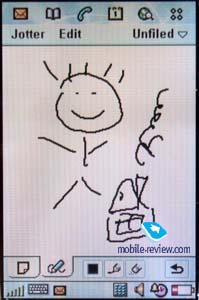
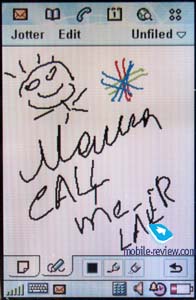
Calculator. It's an analogues to an ordinary calculator. Unfortunately, there is no scientific one.

Time. There are not only settings of time and date here, but also settings of several alarm-clocks. They can be set to sound once or in certain period of time. Any sound file is available to use as an alarm-clock signal.

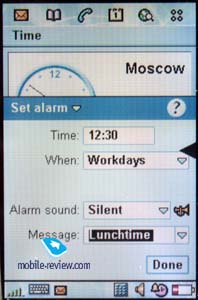
Control panel. All settings relating to the phone functioning are collected here: a formatting of memory cards, a changing of screen wallpapers, display settings, changing of system sounds and many others. All settings concerning GPRS and bluetooth-connection are also placed here. I checked the work of bluetooth with handsfree HBH-30 and there were no problems.

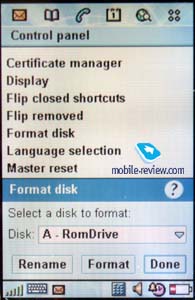

Setup Wizard. You can initially step by step setup your device, for example to gauge a screen, choose date and time and a time zone. You can know more about the possibilities of the screen.
Viewer. It is an utility to view a memory contents and contents of additional memory cards. It didn't work in my sample, probably because of the raw software.
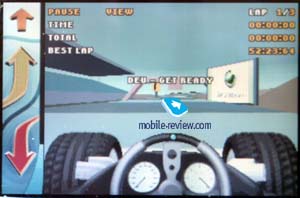
Games. There is a good chess game in P800. You can set a level of complexity, record your moves. If you are a fan of active entertainments, you can take part in car-races. Graphic is captivated but the battery doesn't live long.


I think here we'll finish with the description of the phone's features. Of course there are some other additional applications in P800 but they are not very important. Let me share my impressions with you.
Impressions
I'll try to be short expressing my impressions, they are very different. First of all, the connection quality. I think that P800 can be compared with other phones from SonyEricsson, no problems. The sound is clear and loud, a maximal volume is enough. The volume level is average when the loudspeaker is turned on, it can be compared with Siemens S45. As for me it would be great to have a louder dynamic in this model. The same is about vibrating alert. It is rather weak, but it's obvious taking into account dimensions and the weight of the handset.
It's pleasing that there is a possibility to associate photos to contacts in the phone book. When a person calls you his photo will be displayed near his name. According to the manual guide a phone number is also displayed on the screen, but in reality it doesn't work for the photos of high resolution. In this case only photos and an indication of incoming call are shown.

I used this phone for a few weeks and it seems to me that the best images displayed on the screen are those that were taken with a digital camera in normal resolution and after that downloaded to the phone via PC. The method is easy. Firstly, you reduce your photo (an optimal resolution is of 170x200 pixels). Secondly, you download a received file (in JPEG format, for instance) to P800 and finally, you name the file. Positive points of such method are that you get a picture of high quality but a file size is comparable (or even less) to size of picture taken with an integrated camera. A drawback is that you need time to create a photo for your phone book.
I estimated the advantage of an integrated camera, it can be used in different situations. Recently, I met my old friend who I haven't met for ages. We drank a cup of coffee and he drew a way to his new flat on the paper napkin. But accidentally we spilled coffee on it. Of course I couldn't take it home afterwards. So I took a picture with a help of P800. I could also draw a way in Jotter application but I didn't guess then. I can give many other examples of such situations (sending photos to your friends from the place of vacations, taking photos of furniture to show it to other members of the family and so on). If the other person has such device you can send the photos directly. But that will do for today about camera. Let's discuss other features.
It seems to me that one of the lacks of the smartphone is a list of repeating calls. They can be setup with a help of filters, but the latter are primitive. They are similar to those in Ericsson R380. It would be more interesting if such features as a search by a template, unification of calls by phone number and some other functions of that kind could be used. I hope that other companies elaborate a special software.
As for the rest a device is handy. The screen is large as most modern PDAs have, possibilities of as operating system are not bad. A rate of information output on the screen and a task switching is quite good, usually the delay is less than 1 second, though it can be increased if you deal with power-consuming applications, for example, playing a game “Races”. During only one hour a level of the battery power was reduced by more than 50%.
A lithium-polymer battery has a large capacity and it causes recharging of 4 hours. It's rather long. I'd like to repeat that if you recharge your phone every day you won't fill any discomfort while using it the next day. A high power consumption is a shortcoming of all devices of this class. So if you need only a phone functions it doesn't make sense to buy this handset.
In the whole a smartphone approaches modern PDAs, I think that a distinction between these devices will be eliminated in the near future. Many other multi-functional devices will be appeared and then PDAs will be obsolete devices.
At first SonyEricsson planned to launch this model in the third quarter to date to a film “Men in Black-2”. You can even watch a few trailers of this film on P800. But at last instant the target date was postponed to the December, it was decided to add a slot MemoryStick Duo. Also a confused information, that Nokia 7650 would be launched only in September-October, played a great role. A mass production wasn't started and a base version was easily completed. A slot was placed on the right-hand side under a shutter button. It was also necessary to elaborate a software to support a technical innovation and the delay was because of this.
But Nokia launched its model earlier. A market wasn't saturated and though there were no mass sales, it was easy to buy a new communicator. SonyEricson announced that P800 would be launched already in September but later the date was put off. A company desired to launch a completed product. In the end of July a few European operators got samples of P800 to test (someone with and someone without support of MemoryStick). The main differences of these samples is that s phone without MemoryStick has earlier versions of software, doesn't have mail client and some other features. No accessories except a travel charger and a handset itself include in a standard kit of such device. One must be crazy to pay more 1200$ for such product.
Small lots of P800 will be appeared before December, a price will be rather high. These lots will be aimed to satisfy a primary demand. Later the smartphone will be a mass product and by the Christmas it will be presented almost everywhere. By that time an expectable price would be about 750 Euro.